The drive uses SMR (Shingled Magnetic Recording) tech, causing write speeds to drop to 15–30 MB/s on large file transfers. Furthermore, it requires a bulky 12V AC wall power brick to operate.
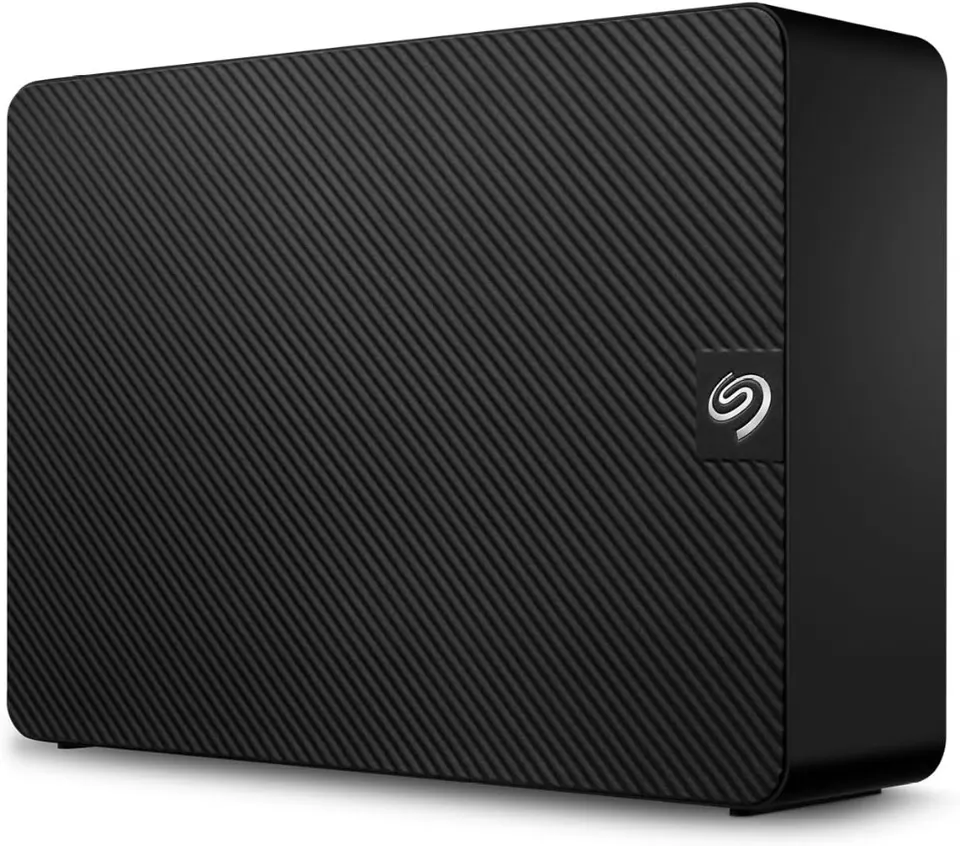
The Seagate Expansion 8TB Desktop External Hard Drive (USB 3.0 HDD, STKP8000400) is one of the most popular high-capacity external storage solutions for PC and Mac users. Offering an expansive 8TB of storage space for under $160, drag-and-drop USB 3.0 setup, and 1 year of Rescue Data Recovery Services, it appeals to users seeking maximum gigabytes per dollar for media archives and automated backups.
However, the downside first: SMR write speed slowdowns during large file transfers, mandatory AC wall power brick reliance, an outdated Micro-B cable, and low-frequency desk vibrations reveal significant usability trade-offs.
1. SMR (Shingled Magnetic Recording) Speed Collapse
The drive’s primary performance bottleneck stems from its internal recording architecture:
- Fast Initial Burst Speeds: When transferring small batches of files, the drive utilizes a fast write cache, reaching speeds up to 160 MB/s.
- Sustained Speed Drop: When transferring large 100GB+ game folders or 4K video archives, the cache runs out. The drive must rewrite overlapping “shingled” tracks, causing write speeds to collapse to 15 MB/s – 30 MB/s, turning a 15-minute transfer into a multi-hour wait.
2. Mandatory AC Wall Power Brick
Unlike 2.5-inch portable hard drives or external SSDs that run off your laptop’s USB port:
- Desktop 3.5-inch Requirement: The Seagate Expansion 8TB houses a full-size 3.5-inch desktop hard drive inside.
- Wall Adapter Needed: It requires a bulky 12V AC power wall adapter plugged into an electrical outlet to function. You cannot use it on a plane, train, or outdoor coffee shop without AC power.
3. Outdated Micro-B USB 3.0 Connector
Instead of adopting the universal USB-C standard found on modern devices:
- The drive uses an older USB 3.0 Micro-B port on the back of the enclosure.
- Connecting to modern MacBooks, iPads, or thin Ultrabooks requires purchasing a separate USB Micro-B to USB-C cable or USB Type-A dongle adapter.
4. Constant Spindle Hum & Vibration
Because the drive lacks a physical ON/OFF power switch:
- Continuous Idle Spinning: The internal hard drive platter spins continuously as long as the AC power adapter is plugged in.
- Desk Vibration: On lightweight wooden desks, the 3.5-inch drive produces a noticeable low-frequency acoustic hum and vibration during active file indexing.
5. Summary: Excellent Mass Storage, Poor Active Scratch Disk
If you need a cost-effective 8TB drive to sit on your desk for automated nightly backups, movie archives, or cold storage, the Seagate Expansion 8TB delivers incredible dollar-per-terabyte value.
However, if you need a fast drive for 4K video editing, moving massive game libraries regularly, or portable travel use, skip this SMR drive and choose a Conventional Magnetic Recording (CMR) drive like the Western Digital 8TB Elements or an external portable SSD.
Editorial disclosure: FlawCheck did not physically test this product. This research-based assessment uses published specifications and available independent or attributable owner evidence. Verify current pricing, policies, compatibility, and product revisions before purchase.