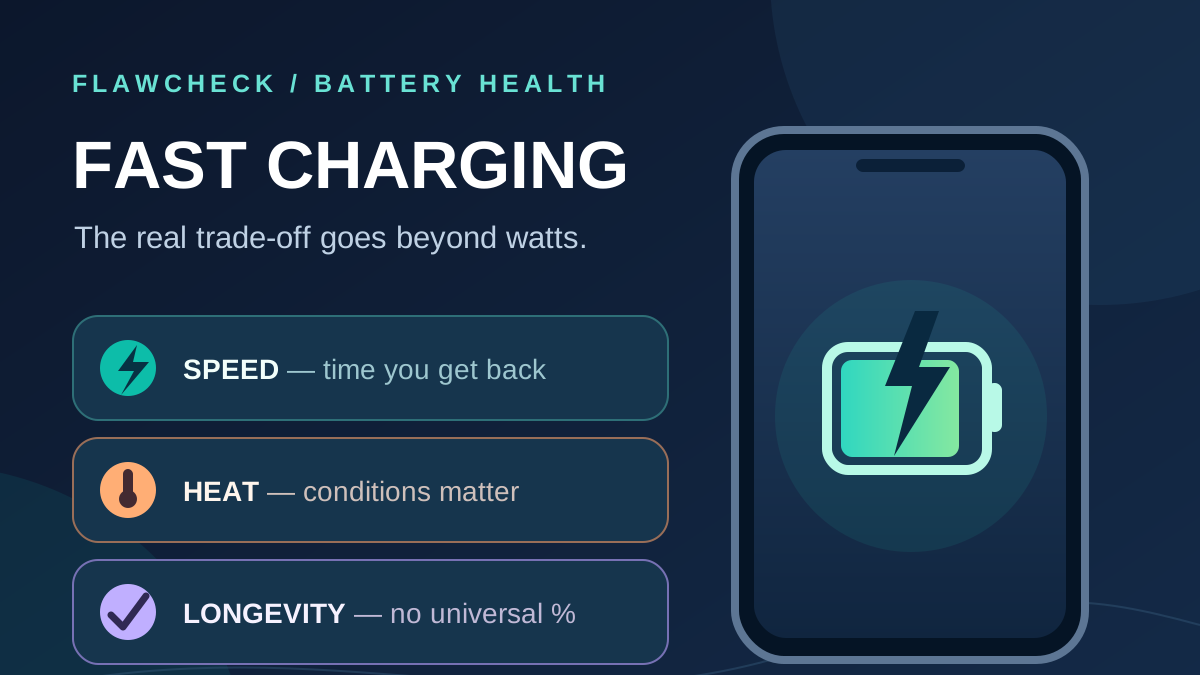
Fast charging saves you time today. Do those saved minutes cost you useful battery life years from now? A 120W label cannot tell you how much power reaches the cell or how quickly that phone will age.
Short answer: A compatible phone controls its charging speed and can slow or pause charging when conditions demand it. Fast charging does not instantly “damage” a healthy battery each time you plug it in. Battery capacity still declines with age, however, and charging current, temperature, charge level, and cell design can affect the rate. The evidence does not support a universal claim that using fast charging every day costs a fixed percentage of battery health. Apple describes temperature history and charging patterns as factors in chemical aging; an experimental comparison of three commercial cells found different responses to higher charging current and voltage.
The practical choice is to use speed when it solves a real time problem, and avoid adding unnecessary heat when it does not. You do not need to treat every quick top-up as a mistake.
Evidence note: This is a research-based guide, not a FlawCheck charging or longevity test. Manufacturer guidance explains how supported phones behave; cell studies explain possible aging mechanisms. Neither predicts the exact future battery-health reading of your device.
Quick answer: Should you worry about fast charging?
“Damage” can mean a safety fault, such as a swollen battery, or gradual capacity loss. A phone that once lasted all day may need an earlier recharge after years of use. A battery-health percentage alone cannot identify the cause.
Fast charging can impose more demanding conditions on a cell than a gentler charging protocol. That does not mean a fast-charging phone continuously pushes maximum power into its battery. Apple says iPhone reduces charging current as it nears full, while Google says some Pixels adjust charging to manage device and battery temperatures. Those controls reduce exposure to conditions the maker is trying to manage; they cannot stop chemical aging altogether.
Decision in 30 seconds: If you have a short window before leaving and the phone is at a comfortable temperature, use compatible fast charging. If it will sit connected for hours, speed has less value; use the charging optimization your phone supports. If the phone is unusually hot, pause charging, move it out of the heat, and let it cool before continuing. Samsung gives that last instruction for a Galaxy that feels hot while charging. Samsung overheating guidance.
The real trade-off: less waiting, more demanding charging conditions
Fast charging is most useful when you have little time. A brief top-up may matter more than the advertised 0–100% result. Google notes that a Pixel can charge faster when its battery is low; Apple says its iPhone reduces current near full. The exact curve depends on the device and conditions.
The downside is more demanding power and heat management during that shorter window. Charging current, time near full, cell design, and prior use also matter. Twice the advertised wattage does not imply twice the capacity loss.
If a quick charge prevents an afternoon power-bank stop, its benefit is immediate. If you plug in at bedtime and unplug eight hours later, a faster finish may offer little. Charging optimization can instead reduce time spent full on supported devices. Apple; Google.
What actually affects battery aging during charging?
A lithium-ion battery ages during use and over time. In a controlled experiment on graphite/NCA pouch cells, higher storage temperatures accelerated capacity loss and rising resistance; storage at 100% charge had a marked effect for that cell. These storage results do not predict the wear of a current iPhone or Galaxy.
Charging current also matters, with different effects by cell. Researchers compared three lithium-ion cells under varied current, end voltage, and ambient temperature. Two degraded more as current and voltage rose; the third was nearly insensitive under the tested conditions. Their materials and designs differed. The study concerned cells for electric-vehicle research, so its cycle-life figures cannot be transferred to phones.
Apple warns that using or charging an iPhone when ambient air exceeds 35°C can permanently reduce battery lifespan. That figure is neither the cell’s internal temperature nor a universal Android threshold. A warm back panel does not measure the cell. If the phone repeatedly becomes uncomfortably hot while plugged in, change the conditions and check its maker’s guidance.
Charging protection has limits
Modern phones can respond to temperature and charge level. An iPhone can reduce current near full or limit charging when temperatures exceed its recommended range. Samsung says device or environmental temperatures that are too high or too low can slow charging, and a Galaxy may reduce the rate while you use demanding apps. Apple charging guidance; Samsung Galaxy battery guidance.
These protections cannot prove identical aging under fast and slow charging. Slower charging may be the phone’s intended response.
Why the wattage on the charger does not tell the whole story
Adapter rating → negotiated power at the phone → power managed inside the phone → energy stored in the battery. These are different stages, and a watt figure at one stage should not be reported as a measurement at another.
Swipe sideways to read the graphic.
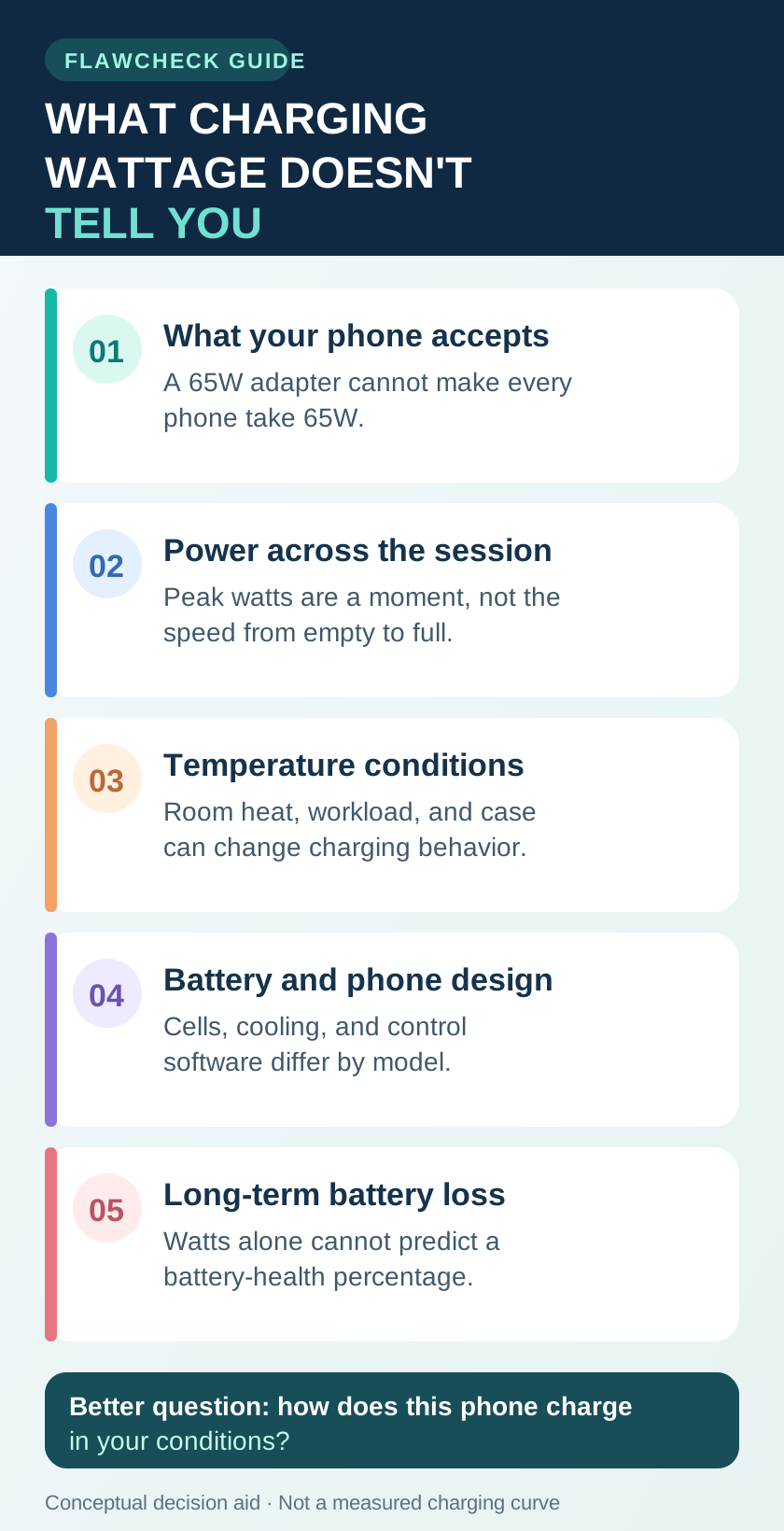
A 65W adapter can make up to its rated output available under supported conditions. The phone, adapter, and cable must support compatible power delivery, and the device determines what it can accept at that moment. The USB-IF describes devices requesting the power they require under USB Power Delivery; Google lists different compatible charger and cable options for Pixel. Some brands also use proprietary charging systems, so USB-PD behavior should not be assumed to describe every fast-charging mode.
Even an actual peak-power measurement is a snapshot. Power can fall as the battery fills, the device warms, or its software changes the charging profile. Some incoming energy runs the phone and some is lost during conversion; adapter input power is not identical to power entering the cell. Battery size and charging circuitry also differ. Comparing two phones by the “120W” and “60W” labels alone cannot tell you which charges faster throughout the session or which battery will last longer.
An independent test measured peak and average power and temperature on specific phones. Its one-session data show why peak watts are incomplete; they do not measure capacity after years of use.
When fast charging makes sense—and when slower charging fits better
| Situation | Charging choice | Benefit | What to watch |
|---|---|---|---|
| Leaving soon with a low battery | Use a compatible fast charger and cable for a short top-up | Useful charge in limited time | Gain varies with phone, starting level, heat, and use while charging |
| At a desk for several hours | Choose a convenient supported method; slower charging is reasonable | No need to chase peak speed | Time spent full may matter; a charge limit is a separate choice |
| Charging overnight | Consider your phone’s optimized charging | Reduces time at 100% on supported models | Settings and timing vary by device |
| Gaming, recording, or navigating while plugged in | Reduce the task or charge before/after it when practical | Less simultaneous load | Device workload and charging can add heat; the phone may slow charging |
| Phone hot or in direct sun/a hot car | Move it to a cooler spot and let it cool | Avoids adding heat to a hot device | Charger wattage is no measure of thermal safety |
This is a decision aid, not a claim that switching to a slower charger adds a particular number of months to battery life. It also does not assume that charging slowly always keeps a given phone cooler: device design and environment can dominate. Samsung advises charging at room temperature and notes that heavy use while plugged in can reduce charging speed to prevent overheating. Samsung guidance.
Warm, warning, or worn out? A phone that feels mildly warm during charging is not, by itself, evidence of battery damage. A temperature warning, slowed or paused charging, or unusually hot hardware calls for a cooler environment and the device maker’s guidance. A battery that now runs out much earlier than it used to may have lost capacity, but charging heat cannot be identified as the cause from that symptom alone. Apple’s charging and temperature guidance; Samsung’s overheating guidance.
The charge limit deserves its own decision. Charging to 80% reduces the daily reserve available when you unplug, while optimized charging can still finish at 100% near the time you normally need it. Our guide to whether you should charge your phone to 80% works through that range-versus-wear compromise. A lower maximum charge and a lower charging speed are different settings with different costs.
Does wireless charging change the trade-off?
Alignment, case design, charger compatibility, and heat affect wireless charging. Google notes that an incompatible or thick case can affect it; Samsung says fast or wireless charging may warm a Galaxy. Google; Samsung.
“Wireless” alone cannot predict faster battery aging. If that setup repeatedly makes the phone hot, check alignment and accessories, or use a compatible cable.
How to reduce avoidable wear without giving up fast charging
- Use speed when you need it. A quick top-up from a lower battery level is a clear use case. Keep the screen off or reduce heavy use if the phone becomes warm; Google says limiting use while charging can help it charge faster. Google charging optimization.
- Give the phone a cooler place to charge. Avoid direct sun, a hot vehicle, bedding that traps heat, and a demanding game running during charging. Apple’s 35°C advice concerns ambient temperature; Samsung recommends pausing when a Galaxy feels hot.
- Match the charger and cable to the device. Check the maker’s compatibility guidance before expecting its advertised fast mode. A higher-rated adapter does not force its full wattage into a supported phone. USB-IF power management; Pixel accessory guidance.
- Use charging optimization if long plugged-in periods are routine. Supported iPhones and Pixels can delay the final part of a charge or offer a limit, depending on the model and software. Choose based on whether you need a full battery when you leave. Apple options; Google options.
- Treat unusual heat as a reason to stop and inspect. If charging repeatedly pauses, the connector becomes abnormally hot, or the battery appears swollen, follow the manufacturer’s service guidance. If the battery is already worn out, changing a charging setting will not restore lost capacity. Our battery replacement versus new-phone guide covers that later ownership decision.
If charging heat also coincides with falling game frame rates, dimming, or slower camera operation, use our phone thermal throttling guide to distinguish performance protection from long-term battery aging.
What we cannot tell you about long-term battery loss
We cannot give you a sound promise that turning fast charging off will preserve “5% battery health in two years,” or that a 120W phone will wear out twice as fast as a 60W phone. The controlled cell study found that three designs responded differently to charging current and voltage. A whole phone adds its own controls, cooling, adapter protocol, battery construction, workload, and exposure to heat. Mathieu and colleagues’ experimental abstract.
A one-session graph cannot establish future capacity. One owner’s battery-health screenshot lacks a matched phone, usage, temperature history, and measurement method. Manufacturer features show what they manage, not a comparison of years of wear. FlawCheck has not performed such a comparison.
“Temperature” may refer to room air, case surface, a device sensor, or the cell. A credible model comparison must disclose devices, accessories, initial charge, workload, ambient conditions, temperature measurement, and charging profile. A lifespan claim also needs comparable cycles and a defined capacity measurement.
Verdict: choose charging speed around your day
Keep fast charging available for the moments when it gives you useful battery before you leave. A supported phone adjusts charging as conditions change, so a brief, comfortable-temperature top-up is a reasonable part of normal use. When time is plentiful, use the routine that keeps the phone convenient without repeatedly leaving it hot or full for long periods. If it becomes unusually hot, correct the conditions and let it cool.
The trade-off is personal, but the evidence standard should stay the same: measured charge time tells you about convenience; a watt label tells you about a possible power mode; neither alone tells you how much battery capacity you will lose over years. Make your charging routine useful now, and reassess if real runtime eventually declines.
When choosing a phone you hope to keep for years, place charging speed beside battery service, software support, repair costs, and daily runtime. Our long-term phone ownership guide puts those costs into one buying decision.