A cheap used iPhone can become an expensive purchase if its replacement screen misses touches, its battery information cannot be trusted, or a repair still needs work. When you see Unknown Part, the question is whether you understand the affected component well enough to accept the deal.
Our recommendation: ask the seller to explain and, where necessary, resolve the issue before you pay. Consider buying only when the repair evidence, essential functions, seller protection, and total cost fit your needs. Walk away if a significant fault remains unresolved or the seller prevents reasonable checks.
The warning alone does not tell you the phone is counterfeit or unusable. It also does not give you enough information to call the repair harmless. Treat it as a reason to investigate.
Before you pay: get the warning cause, affected functions and seller terms clear. A working feature does not settle every repair question.
Should You Buy a Used iPhone With an Unknown Part Message?
For longer ownership, assess how long a used iPhone could suit your needs alongside repair condition.
For your main everyday phone, we would favor a comparable offer with clearer repair history when the price difference is small. A lower asking price is less attractive if you will spend your first week chasing the repair shop or arranging a return.
There are situations where a repaired phone remains worth considering. The seller might disclose the work, provide a matching service record, allow inspection, and offer usable support. You still need to decide whether the actual condition suits you.
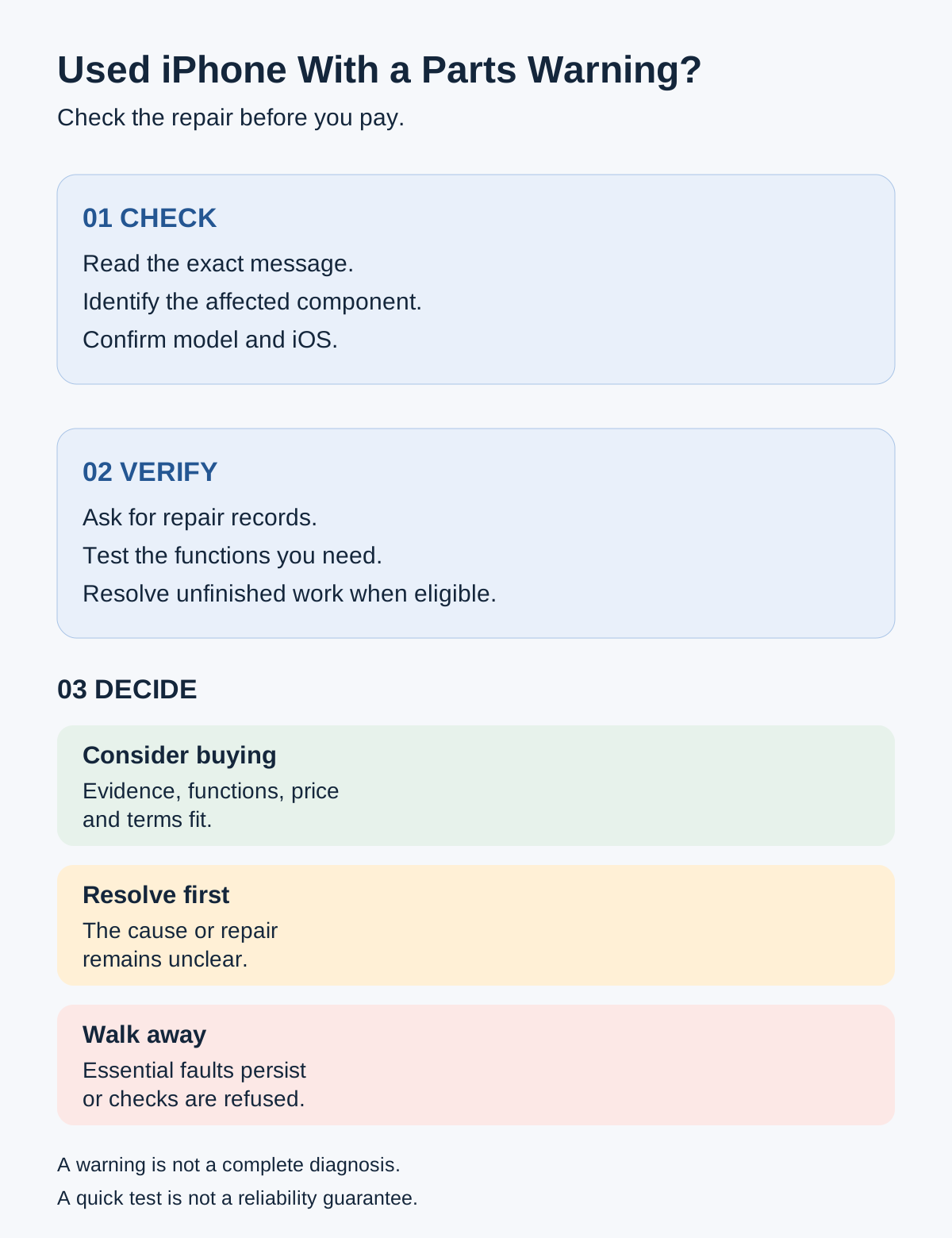
- Check: read the exact message, identify the component and confirm model/iOS.
- Verify: request records, test required functions and resolve eligible unfinished work.
- Decide: consider buying when evidence, functions, cost and terms fit; resolve first when unclear; walk away from unresolved essential faults or refused checks.
A warning is not a complete diagnosis. A quick test is not a reliability guarantee.
Use this purchase framework:
| What you find | Our decision | Next step |
|---|---|---|
| Repair evidence is credible; required functions work; cost and terms suit you | Consider buying | Keep the disclosure and finish the full buying checks |
| Cause of Unknown is unclear or contradicts the seller's description | Ask for evidence or diagnosis | Resolve the uncertainty before payment |
| Eligible repair remains unfinished | Ask the seller to complete it | Recheck the message and affected functions |
| Essential fault persists or inspection is refused | Walk away | Choose another offer |
| Online seller cannot clarify condition or remedies | Pause the order | Obtain written terms or find a clearer listing |
On a small screen, swipe sideways or focus the table and use the arrow keys.
These are editorial recommendations, not a prediction of how long a particular unit will last. A phone that works during a meeting can still have an intermittent fault.
What Does “Unknown Part” Mean on an iPhone?
Apple lists several causes: a non-genuine component, unexpected operation, an unverified or unlinked repair, or a modified or otherwise unverifiable part. Apple’s Parts and Service History guidance explains the distinction.
So “Unknown means fake” is too simple. The opposite reassurance—“it is only a message”—also leaves the buyer’s question unanswered: what happened to this phone?
With iOS 15.2 or later, look in Settings → General → About. Available history depends on model: XR, XS and SE 2/3 cover the battery; iPhone 11 adds the display; iPhone 12 and later include additional components. Only the latest service for each part appears in the history.
Those limits matter when no section is visible. Its absence is insufficient evidence that the phone has never been repaired. Read the actual details alongside the seller’s records, rather than treating the screen as a complete lifetime inspection report.
Unknown Battery, Display, or Camera: What Should You Check?
Start with the component named in the warning. The following checks are our practical screening suggestions; they are not an Apple diagnostic procedure.
| Component | Quick checks | Reason to pause |
|---|---|---|
| Battery | Read available health information and warnings; try compatible charging | Unexplained shutdowns, charging interruption or concerning physical condition |
| Display | Draw across the touch area; type at edges; inspect brightness and color | Repeatable missed touches, ghost touches or visible defects |
| Rear camera | Try available cameras, focus on ordinary subjects, record and replay video | Persistent focus failure, blank preview or repeatable app problems |
| Front camera and biometrics | Take a selfie/video; demonstrate supported Face ID or Touch ID | Unresolved biometric error or unfinished relevant repair |
| Logic-board message | Read details and request service evidence or diagnosis | Essential functions or repair scope remain uncertain |
On a small screen, swipe sideways or focus the table and use the arrow keys.
A failed check needs an explanation. It does not, by itself, identify the defective part. A successful check establishes only what you observed at that time. It does not establish water resistance; do not immerse a used phone to test it.
Battery: Do Not Buy Around the Percentage Alone
An impressive capacity number cannot settle an unexplained battery warning. Apple says battery-health information may be inaccurate when the battery cannot be verified. Its guidance also describes possible capacity, fit, charging, performance, and safety issues with non-genuine batteries.
Ask what battery was installed and who installed it. With permission, try a known-good compatible charger and observe ordinary operation. A short charging session does not measure daily runtime or usable capacity.
If the phone shows swelling, screen separation, or unusual overheating, stop the test and ask for professional assessment. Do not open or press on it to investigate.
Once the battery’s condition is understood, use our used iPhone battery-health guide to weigh a reading such as 85% or 90%. An uncertain reading should not become the strongest selling point.
Display: Working True Tone Is One Check
Apple’s display guidance describes possible touch, brightness, color, sensor, and power-use problems with non-genuine displays. These are possible outcomes, not faults every replacement must have.
Try drawing a continuous line across the screen and typing near its edges. Inspect plain light and dark images at several brightness settings. During a brief call, observe whether the display behaves normally near your face.
Keep the test sensible: brightness settings and viewing conditions can change what you see. Repeat an apparent problem before drawing a conclusion.
Our buying judgment is that functioning True Tone, Face ID, or touch alone is insufficient evidence of the entire screen repair’s quality. Ask for records and check the other functions that matter to you.
Rear Camera: Take Photos, Then Look at Them
Apple lists possible focus, image-quality, and third-party-app problems in its genuine-camera guidance. Open the camera, take pictures, and review the results rather than accepting a working preview as the whole test.
Use adequate light. Photograph subjects at ordinary near and distant positions, try available camera modes, and record a short video. If a trusted camera-using app is already installed, check that too.
Avoid diagnosing a camera from one dark photo or a subject held too close. If a problem repeats under reasonable conditions, ask for an assessment before buying.
Front Camera and Face ID: Keep Their Rules Separate
Apple’s front-camera guidance says Face ID remains unavailable until the relevant repair calibration is complete. It also documents a completion or restore requirement for replaced front cameras on iPhone 14 and later.
Ask the seller to demonstrate the supported biometric feature and arrange an opportunity to set it up for yourself after ownership transfer. Touch ID applies only to models that have it.
An Unknown display message does not automatically diagnose a Face ID fault. Read any separate biometric warning and investigate the actual behavior.
Genuine vs Used vs Unknown vs Finish Repair
The labels describe different repair states. Do not treat them as a single good-versus-bad scale.
| Message | Meaning | What it does not establish |
|---|---|---|
| Genuine | Genuine Apple part and repair process | Whole-phone condition or remaining lifespan |
| Used | Part previously installed in another iPhone | How much wear it has |
| Unknown | Several authenticity, verification or function-related causes | Which cause applies |
| Finish Repair | Calibration remains incomplete | That completion will succeed |
| Unverified | Previously used logic board; some features may be affected | A universal failure of those features |
On a small screen, swipe sideways or focus the table and use the arrow keys.
Definitions follow Apple’s linked parts-history and repair documentation. Our purchase interpretation is that none replaces an inspection of the actual unit.
Component support differs. Apple’s battery, display, and rear-camera pages document Used labeling on iPhone 15 and later with iOS 18 or later. Its front-camera page specifies same-model reuse on iPhone 16 and later after completed calibration. Do not apply one component’s rule to all others.
Can Repair Assistant Fix the Message?
Repair Assistant is a way to finish supported repairs, not a promise to clear every Unknown warning. Apple’s Repair Assistant instructions require supported hardware, the latest software, Wi-Fi, and more than 20% battery charge.
For an in-person purchase, ask the seller or service provider to complete eligible work before payment. Reopen the history and retest afterward.
A donor part can also be protected by Activation Lock, and missing required account information can prevent completion. This is separate from the phone’s ownership lock. Do not pay on the assumption that you can resolve somebody else’s locked component later.
Restrictions can be model-specific: Apple documents a camera-use restriction on iPhone 18 Pro models when repair is not finished or the phone restored. Avoid applying that case to every older iPhone.
What Should You Ask the Seller Before You Pay?
Start with a question the seller should be able to answer plainly: which part was changed, and why?
Then ask:
- Who performed the repair, and when?
- Was the replacement new, previously used, or aftermarket?
- Can I see a record that matches this phone?
- What does “original” mean in your description?
- Why does this exact message remain?
- Can any eligible unfinished work be completed before payment?
- What happens if the repaired component develops a fault?
- What are the return deadline, procedure, charges, and exclusions?
A service invoice helps corroborate the story, but it does not certify every component or future reliability. Missing paperwork is a reason to seek further evidence, not automatic proof that the seller is dishonest.
Be wary of reassurance that never becomes specific. “All repaired phones do that” does not explain this unit. “You can fix it after buying” leaves the work and its uncertain cost with you.
For online purchases, request actual-unit photos and written disclosure. Save the listing and agreed terms, then inspect promptly after delivery within the confirmed return window. If the unit differs from what was promised, contact the seller or platform under the applicable process.
Do not let a return deadline expire while waiting for a promised fix. Avoid speculative repairs before establishing how they affect your remedy.
The parts warning is only one part of buying used. Follow our complete used iPhone buying checklist for ownership, network compatibility, setup, and the remaining hardware.
Is the Lower Price Worth the Repair Risk?
Compare the offer with a similar phone whose condition and repair history are clearer. Match model, storage, network status, and seller protection before judging the saving.
For a tight budget, compare the alternatives in our used iPhone under $300 guide, rechecking current offers before buying.
Use:
Known acquisition cost = purchase price + mandatory charges + diagnosed necessary service cost.
The last term needs a suitable quote for the exact work and market. If nobody has established what is wrong, the repair cost is unknown. It is not zero.
Imagine two offers for the same model and storage. One has an unexplained screen warning and the lower asking price. The other costs more but has clearer documentation and usable support. Without knowing whether the first needs work, you cannot calculate the saving confidently.
If a diagnosis establishes a necessary screen replacement, add that quoted cost and compare again. Also consider the practical burden: arranging service, waiting for the phone, or using a backup. Keep a reserve for possible future repairs separate from spending you already know is required.
There is no universal percentage discount that makes Unknown worthwhile. A lower price cannot make an unusable must-have feature acceptable.
Apple also notes in its component guidance that Unknown may affect trade-in value. That does not establish a fixed resale penalty. Check an actual buyer’s criteria or offer if future trade-in matters to your decision.
If inspection and support are difficult, compare new, used, and renewed iPhone purchase routes rather than forcing this particular deal to work.
When Should You Walk Away?
Walk away when an essential fault remains unresolved, the seller refuses reasonable checks, or the repair explanation conflicts with the evidence and cannot be clarified.
Multiple warnings deserve separate explanations. They do not automatically prove the phone is beyond repair, but a vague account of several repairs gives you more unanswered questions to carry.
For your main phone, an unexplained charging problem, failed required biometric feature, or repeatable camera fault is a stronger reason to reject the offer than its cosmetic condition is a reason to buy.
A seller who cannot provide the clarity you need may still find another buyer. You do not have to accept that uncertainty simply because you have already spent time arranging the meeting.
Our verdict: consider a repaired iPhone when its condition is understood and the deal survives inspection, known costs, and seller-term checks. Resolve uncertainty first when possible. Choose another offer when significant questions remain.
FAQ
Does Unknown Part Mean the iPhone Has Fake Parts?
Not necessarily. The causes listed earlier include verification and function issues as well as non-genuine parts. Ask what explains the warning on this phone; do not diagnose authenticity from the label alone.
Can a Genuine Replacement Show Unknown?
An incomplete verification or linking process can be among the documented causes. That possibility does not confirm the seller’s claim. Request evidence and have the unresolved repair assessed.
Is Used Worse Than Genuine?
Used identifies prior installation. Assess the component’s condition and applicable reuse rules. The label is not a universal quality grade or a prediction of remaining life.
Should I Trust 100% Battery Health With an Unknown Battery?
Do not rely on it alone. The battery-information limitation discussed above still matters. Seek repair evidence and assess behavior before using that percentage to justify the purchase.
Should the Seller Finish Repair Before I Buy?
For an eligible in-person transaction, that is our recommendation. Completion should happen before payment, followed by another check. It is not guaranteed to solve unrelated faults.
Does No Parts and Service History Mean the Phone Was Never Repaired?
No. The history has model, software, component, and reporting limits. Combine available records with inspection rather than treating an absent section as proof of untouched hardware.