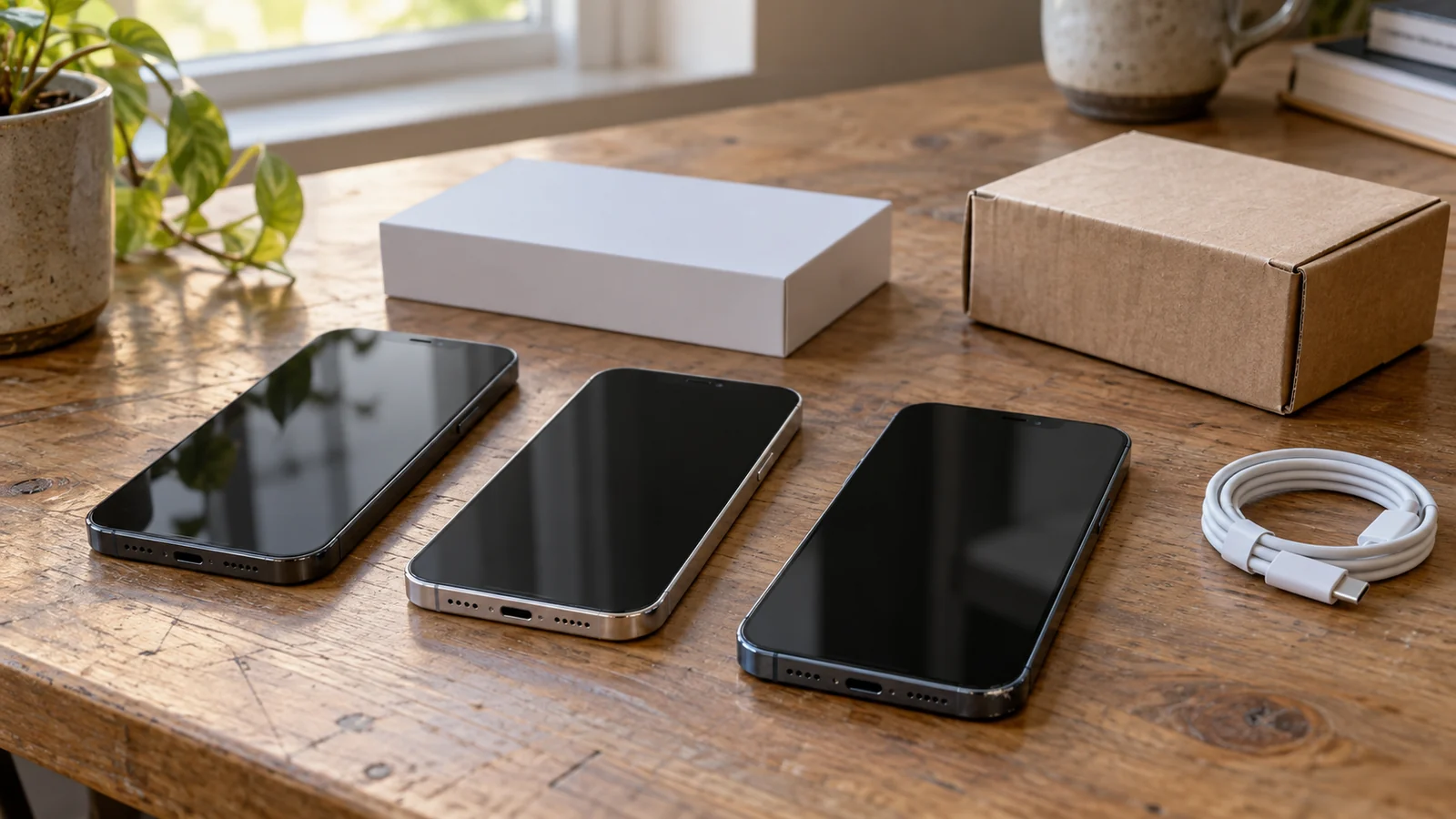
Buy new when the extra cost is worth having a clearer starting condition and support arrangement. Consider used when you can inspect the actual phone and the saving survives any work it needs. Consider renewed or refurbished when a documented inspection process and buyer protection offer a useful middle ground.
The catch is that these labels tell you less than you might expect. A used iPhone sold by a retailer can have a return policy. A renewed iPhone can have a previously used battery. A new iPhone can be an older model.
Start with the model you need, then compare its condition, seller and cost. This guide uses the US market, with Amazon.com as the reference for Amazon Renewed. Imported phones and purchases elsewhere need their own policy checks.
| Your priority | Start by considering | What could change the answer |
|---|---|---|
| Clear condition and support for your main phone | New or Apple Certified Refurbished | A well-documented alternative may offer better value |
| Lowest upfront spending | An inspectable used iPhone | Necessary repairs can erase the saving |
| Buying an older model online | A documented refurbished or renewed offer | Seller terms and delivered condition still matter |
| Buying a gift | New or refurbishment with suitable presentation | Packaging, wear and the recipient's expectations |
| Avoiding return hassle | An offer with clear documentation and usable support | No route makes faults impossible |
On a small screen, swipe the table sideways to compare every column.
1 Does the known cost fit your budget?
Yes → Check inspectionCount planned service, needed accessories and applicable fees.
No → Change the shortlistLook for another suitable offer or model before choosing a condition label.
2 Can you assess the actual used unit?
Yes → Used can stay in contentionIt still needs acceptable condition and purchase terms.
No → Look for documented conditionCompare new or named refurbishment programs with support you can use.
3 Are the remedies usable if something is wrong?
Yes → Compare the remaining trade-offsChoose the acceptable offer after known costs. No universal winner.
No → Resolve the terms or move onA lower price alone does not settle the decision.
Conditional buying guidance, not a prediction of reliability. New, used and renewed offers still need their own checks.
New vs Used vs Renewed iPhone: The Key Differences
There are two separate questions: Which iPhone model are you buying? And what condition is this particular unit in?
An older iPhone sold as new and a recent iPhone sold used can occupy different places on both axes. Comparing them may be useful, but it mixes generation, features and condition. First compare the same model, storage capacity and carrier-lock status so you can see what the purchase route costs. If storage is still undecided, use our 128GB versus larger-storage buying guide before comparing prices.
“Used” and “pre-owned” describe previous ownership. They do not establish whether a retailer tested the phone, whether it has been repaired or whether you can return it.
“Renewed” and “refurbished” need more context. Find the named program or refurbisher and read its commitments. A seller’s description of the phone as “like new” is not a substitute for information about its battery, parts and support.
| Factor | New | Used / pre-owned | Renewed / refurbished |
|---|---|---|---|
| Price | Check the current offer | Check the actual unit and seller | Check program, grade and seller |
| Battery | Confirm condition and purchase details | Assess the actual battery | Read the program's commitment |
| Appearance | Inspect what arrives | Ask for actual-unit photos | Read the cosmetic-grade definition |
| Repair information | Resolve conflicting disclosures | Examine available records | Ask about replaced parts |
| Accessories | Check included items | Account for missing items | Check whether items are original or generic |
| Protection | Identify warranty and retailer returns | Read seller terms | Identify the program and remedy provider |
On a small screen, swipe the table sideways to compare every column.
A low price with little information is a different proposition from a slightly higher price with a clear remedy. Decide how much uncertainty you can accept before choosing between them.
If you are choosing across operating systems, our used iPhone versus new Android comparison matches current US offers and explains the condition, storage and support trade-offs.
Is a Renewed iPhone the Same as a Refurbished iPhone?
The words overlap in everyday sales language, but named programs can make different promises. Amazon Renewed is not the same program as Apple Certified Refurbished.
Apple says its refurbished products undergo functional testing and receive genuine replacement parts where needed. Refurbished iOS devices receive a new battery and outer shell, and Apple includes a one-year limited warranty. Those commitments belong to Apple Certified Refurbished.
For third-party refurbishment, ask who performed the work and what was checked. Some offers provide detailed commitments; others leave more questions unanswered.
| Route | Documented condition commitment | Protection to examine |
|---|---|---|
| Apple Certified Refurbished | Apple's process, including new iOS battery and outer shell | Apple limited warranty and direct-purchase returns |
| Amazon Renewed | Qualified-supplier inspection; condition requirements | Current listing and Amazon Renewed Guarantee |
| Amazon Renewed Premium | Higher battery-capacity commitment than standard Renewed | Premium eligibility and current terms |
| Other third-party refurbishment | Named refurbisher's written process | Its seller or program warranty and returns |
| Back Market US, as one example | Marketplace standards; check the named refurbisher and offer | Seller-provided limited warranty and returns |
On a small screen, swipe the table sideways to compare every column.
Back Market’s US help page describes a seller-provided 12-month limited warranty from delivery and 30-day returns, with exclusions including damage and unauthorized opening. That illustrates why the protection provider matters; it does not establish a universal third-party standard. See Back Market’s warranty explanation and quality commitments.
If your decision is specifically between Amazon and Apple’s own refurbishment program, our Amazon Renewed vs Apple Certified Refurbished iPhone comparison separates their condition commitments, support and offer-level cost.
When Is Buying a New iPhone Worth It?
A new iPhone deserves a close look when the saving on a suitable alternative becomes small after known costs. Paying extra may suit someone who wants less uncertainty about prior use or who cannot easily spend time inspecting and returning a purchase.
It can also make sense for a gift when the recipient expects new retail presentation. That is a preference, not a requirement: a clearly described refurbished phone may be just as welcome.
Be specific about what the extra money buys. If you only need a phone for everyday tasks, a current-generation model’s additional features may not justify your budget. Conversely, a cheap older model that misses a feature you actually need is a poor substitute.
Check the seller even when buying new. Apple’s US limited warranty runs from the original retail purchase date, and retailer returns are separate. Direct Apple US purchases have a standard 14-calendar-day return window from receipt; purchases through other retailers follow their return policies. See Apple’s warranty and US returns policy.
For long intended ownership, compare the exact model’s capabilities and current support information. The word “new” does not tell you how many future iOS releases it will receive.
Choose new when the documented starting condition, purchase arrangements and features are worth the extra cost to you. Avoid stretching your budget just to obtain a label.
Avoid buying on appearance alone. A cosmetic grade is not proof of a new battery, original parts or a complete repair history.
When Is a Used iPhone a Good Deal?
A used iPhone can be attractive when the seller provides enough information to assess the unit and the final known cost leaves a worthwhile saving.
If your US budget is below $300, our used iPhone shortlist under $300 compares model choices with battery, storage and seller-term compromises.
Before choosing an older offer for long-term use, check what determines a used iPhone’s remaining useful life. Its current software status, condition and fit for your routine belong in the decision. Ask about the actual phone. Photos of the unit, battery information and available repair records are more useful than a generic product image. An opportunity to inspect it helps you decide whether its condition fits your expectations.
The seller’s route matters, too. A private transaction and a retailer-backed used sale can have different remedies. Find out what happens if a problem appears after payment. Do not assume every used sale lacks protection, or that every retailer offers the same protection.
Before agreeing a price, separate wear you can live with from faults you would need to address. A visible mark may be acceptable to one buyer. A required repair needs a suitable quote and a revised cost comparison.
If battery service is part of your plan, include it from the beginning. Decide whether you would genuinely arrange that work, rather than adding a speculative repair budget to every used phone.
For a specific capacity reading, our used iPhone battery-health guide explains how to assess 85% or 90% alongside inspection, price and purchase terms.
Choose used when the specific unit passes your checks and the remaining saving compensates you for its condition and purchase arrangements. If the seller cannot answer basic questions, the lower price may be buying uncertainty you do not want.
Is an Amazon Renewed iPhone Worth Buying?
Amazon Renewed is worth considering when the exact configuration, condition commitments and current buyer protection fit your needs at a competitive known cost.
According to Amazon’s US Renewed help page, qualified suppliers inspect and test products; those suppliers can include third-party sellers. The page describes standard battery capacity at sale as at least 80% relative to new, or at least 90% for Premium. Its individual condition descriptions use “greater than” wording, so read the selected listing carefully.
These are capacity commitments, not daily-runtime measurements or promises of a fresh battery. Amazon also allows generic accessories or packaging and says refurbished phones are not guaranteed to retain their waterproof seal. Our IP68 and water-damage warranty guide explains the separate protection questions.
Before ordering, identify the seller, grade, model, storage, network status and included items. Amazon’s US return-policy page lists a 90-day return window for select Renewed products in Acceptable, Good or Excellent condition, and 365 days for Premium. Check the exact offer’s eligibility before ordering and the return information in your order afterwards; the page does not say every pre-owned listing qualifies. These return windows are separate from an Apple warranty.
Then read the listing’s eligibility and Amazon Renewed Guarantee terms. Keep this protection separate from an Apple manufacturer warranty.
Is Renewed Premium worth paying extra for?
Compare the actual offers rather than treating Premium as the automatic choice.
Its higher battery commitment may matter if you do not want to plan immediate service. The applicable protection may also matter to you. But the added price could bring another purchase route into reach.
Ask what you gain for the difference and whether it solves a concern you have. If standard Renewed meets your needs, paying more may be unnecessary. If neither offer provides enough clarity, look elsewhere.
For a closer same-model comparison, see Amazon Renewed versus Renewed Premium iPhone before paying extra for the Premium tier.
What Should You Check Before Buying a Used or Renewed iPhone?
Focus first on whether you can use the phone, then on condition and recourse. Inspection reduces uncertainty; it does not reveal every possible fault or certify the device’s lifetime history.
| Check | What to establish |
|---|---|
| Activation Lock | Complete activation; do not buy a phone still locked to its owner |
| Carrier lock | Check Carrier Lock in Settings → General → About |
| SIM/eSIM | Confirm the exact regional model and your carrier's activation requirements |
| Battery | Review health information, messages and disclosed service history |
| Parts and Service History | Examine available records and unresolved labels |
| Face ID / Touch ID | Try the supported biometric feature |
| Cameras | Test available cameras and review photos/video |
| Display | Check touch response and visible defects |
| Charging | Try the relevant connection and check the connector |
| Returns | Know the deadline, procedure, reasons accepted and remedy provider |
On a small screen, swipe the table sideways to compare every column.
Apple identifies “No SIM restrictions” as the carrier-unlocked indicator and advises against buying an Activation-Locked device. An erased phone showing Hello still needs setup and activation before testing. Its preowned-iPhone guide covers these checks.
Carrier unlock and SIM/eSIM compatibility are separate questions. Confirm the regional variant and service requirements before paying; consult Apple’s eSIM guidance and your carrier.
For a step-by-step inspection of the actual unit, use our used iPhone checklist before you pay.
What repair history can—and cannot—tell you
On supported iPhones running iOS 15.2 or later, look in Settings → General → About for Parts and Service History. Available information depends on model and software.
Apple’s current parts-history documentation distinguishes Genuine, Used, Unknown and Unverified labels. Unknown can have several causes, including a nongenuine part, a malfunction or unfinished verification. It is not a single-cause diagnosis.
The record also shows only the latest service when a part has been serviced repeatedly. The absence of a parts warning does not prove that a phone has never been repaired. Treat the screen as one piece of information alongside disclosures and functional checks.
For an unresolved warning, see what to check before buying an iPhone with Unknown Part.
If something conflicts with the listing, resolve it while you can still use the seller’s remedy. Do not let an attractive cosmetic grade outweigh an unresolved problem.
How Much Are You Really Saving?
Compare the purchase price plus costs you already know you will incur. Add required accessories, shipping, fees, applicable tax and any planned work based on a suitable quote.
Leave uncertain future repairs as risks rather than inventing an average cost. A phone with no immediate service planned has not become a phone with zero lifetime repair expense.
The following example is entirely hypothetical. These are not current offers or service quotes. Every row assumes the same iPhone 15, 128GB and unlocked status; availability is not asserted. Amounts are USD, before tax.
| Illustrative route | Purchase | Planned battery service | Accessory | Other known repair | Known-cost subtotal |
|---|---|---|---|---|---|
| New | $600 | $0 | $20 | $0 | $620 |
| Used: battery service planned | $440 | $100 | $20 | $0 | $560 |
| Used: battery plus another repair | $440 | $100 | $20 | $120 | $680 |
| Renewed | $520 | $0 | $20 | $0 | $540 |
| Renewed Premium | $570 | $0 | $20 | $0 | $590 |
| Apple Certified Refurbished | $560 | $0 | $20 | $0 | $580 |
On a small screen, swipe the table sideways to compare every column.
Shipping and other fees are assumed zero for this illustration; tax is excluded, not assumed zero. The accessory is something the hypothetical buyer needs to obtain. Actual included items may change that cost.
The first used scenario saves $60 against the new subtotal after planned battery service. The second costs $60 more once another known repair is included. These are different condition scenarios.
Renewed happens to have the lowest subtotal here because of the fictional inputs. Change the prices or necessary work and the result changes. This table demonstrates a method, not a ranking of retailers.
Also consider inconvenience. How difficult would a return be? Would you have another phone while arranging service? You can weigh those questions without pretending to know a precise dollar value.
Which Should You Buy?
Make the decision using the actual offer and your priorities.
| Situation | Verdict |
|---|---|
| You want clearer starting condition and the price gap is affordable | Consider new or Apple Certified Refurbished |
| Your budget is tight and you can assess a specific unit | Consider used, after subtracting known costs from the saving |
| You want an older model through an online purchase | Compare documented renewed/refurbished offers and remedies |
| Premium costs only a little more | Decide whether its commitments address a concern you have |
| Repair costs remove the saving | Reconsider the cheaper-looking offer |
| Seller information is incomplete or contradictory | Resolve it before committing |
On a small screen, swipe the table sideways to compare every column.
For a main phone, put usability and acceptable condition ahead of cosmetic perfection. For a gift, include presentation and the recipient’s preferences. For the smallest budget, focus on the unit you can assess rather than a reassuring label.
If you have already decided to stay with iPhone, our used Pro Max versus new base iPhone comparison separates Max size, Pro features and generation using dated US offers.
If you already own a usable iPhone, compare a repair or battery-service quote with replacement before shopping. Our replace the battery or buy a new phone guide covers that decision. If your question is about a generation upgrade, start with the iPhone upgrade guide.
Buy the offer whose condition, known costs and available remedy you understand and can accept. A small headline price difference should not decide the purchase on its own.
Sources and evidence scope
This is a source-based buying guide, not a FlawCheck device test. The hero is an AI-generated editorial illustration. Policy examples use US terms checked on October 9, 2026; other markets and individual listings require their own checks. The cost illustration uses fictional inputs and does not identify current deals. Recommendations are conditional editorial judgments.