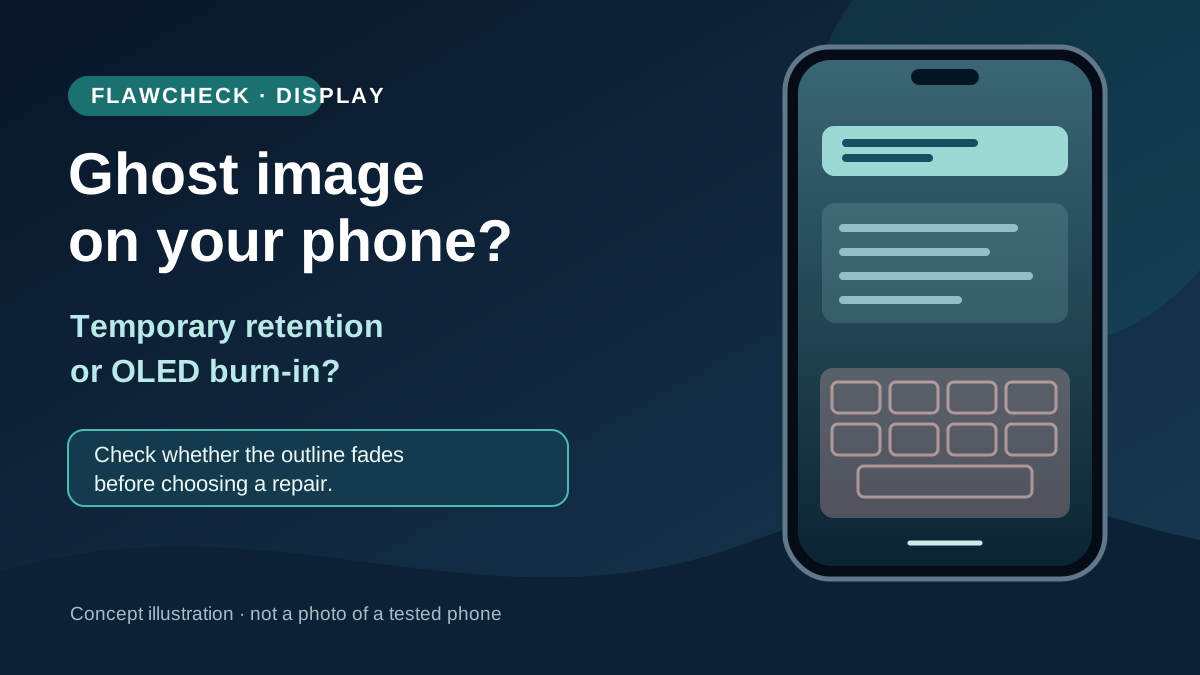
A faint keyboard or status bar that remains visible over another app is easy to call burn-in. That label may be premature. A temporary afterimage can fade during normal use; lasting OLED burn-in is uneven display wear. Change what the screen shows and check whether the mark fades before you spend money or install a supposed fixer. Apple explicitly distinguishes temporary image persistence from burn-in on its OLED iPhones. Apple Support
If the outline persists across unrelated content and normal use, ask the manufacturer or an authorized service provider to assess the screen. Brightness settings, screen timeouts and software mitigations can reduce future risk; none should be sold as a guaranteed reversal of a physically aged panel. Google’s Pixel guidance specifically advises against apps that promise to reduce burn-in. Google Pixel Help
Evidence status: This is a source-based phone guide, not a laboratory test of particular panels. The steps below help you describe a symptom and decide what to do next; they do not establish a diagnosis, a failure rate or warranty eligibility for your device.
| Signal | What you observe | Possibility, not a diagnosis | Next check | When to seek help |
|---|---|---|---|---|
| 🟢 Fades | The trace weakens after you switch content | Temporary image persistence | Continue normal, varied use and check again | If it repeatedly returns or becomes intrusive |
| 🟠 Persists | The same outline remains over unrelated screens | Possible lasting panel issue | Note its fixed location; document it with another camera | If it remains visible or worsens |
| 🔵 App-only | A mark appears in just one app, photo or wallpaper | Content or rendering issue | Open a different app and image; compare a screenshot on another screen | If it appears across unrelated content too |
| 🔴 Other fault | A line, spreading patch, dead pixels or failed touch | Cause unknown; not enough to call it burn-in | Record the symptom and stop treating it as an afterimage | Promptly, especially if function is affected |
Decision table: colored markers indicate the next action, not measured severity or failure probability.
Image retention and burn-in are not the same diagnosis
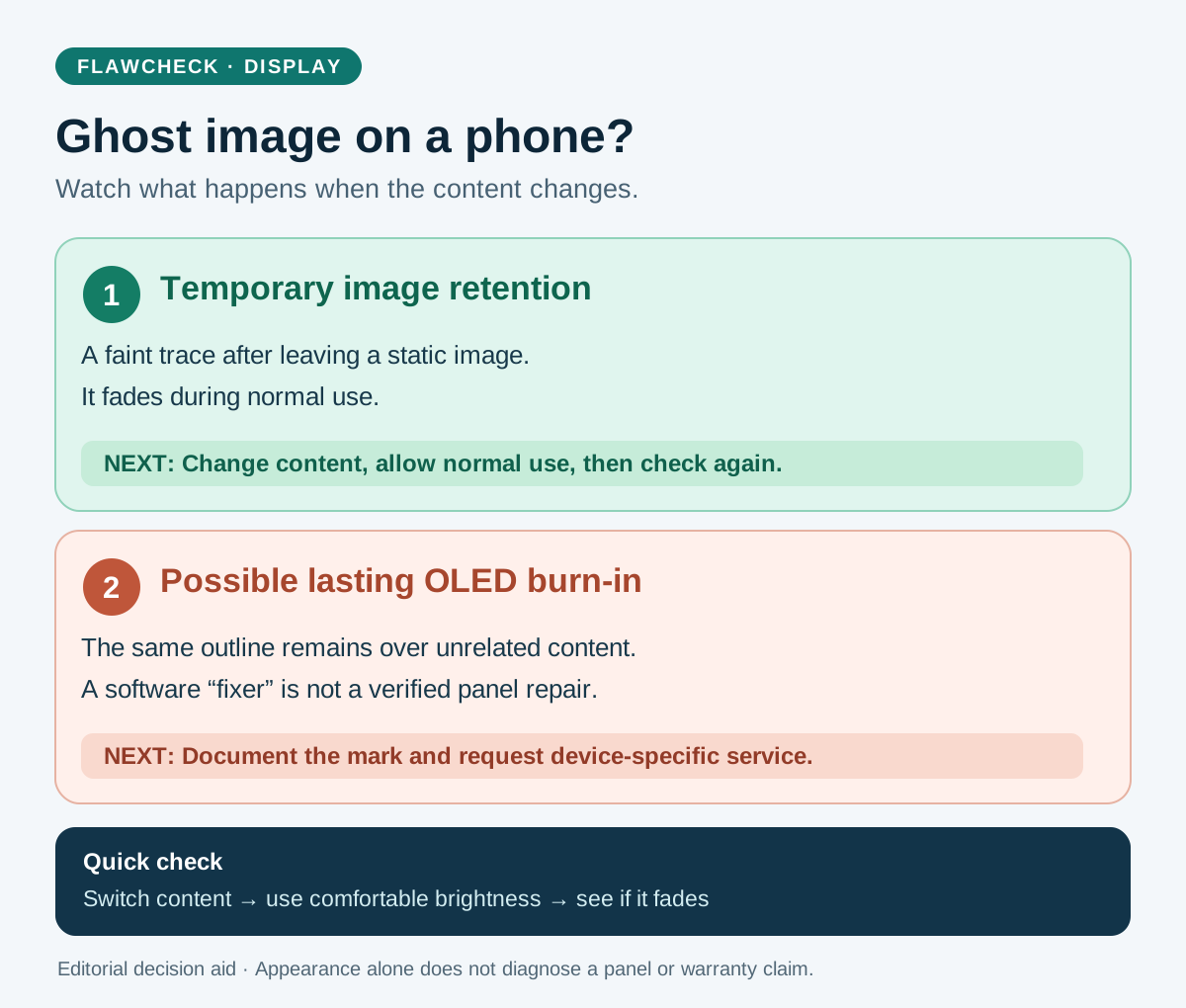
Conceptual comparison, not a test of an actual phone. Whether a specific panel needs repair requires device assessment.
OLED pixels produce their own light. A fixed, bright element can make some regions work harder than others over prolonged use. That can leave an outline that appears against new content. But an outline seen immediately after closing an app does not, by itself, establish permanent damage. Apple says image persistence on its OLED iPhones is temporary and disappears after a few minutes of normal use; it describes burn-in as a more extreme outcome associated with displaying the same high-contrast image continuously at high brightness for a prolonged period. Apple Support
There is no defensible universal stopwatch test for every phone. How obvious a mark looks depends on the screen, the content behind it and viewing conditions. A temporary mark may fade; an outline that keeps returning or remains visible is a reason to investigate. Neither a single photograph nor the age of the phone tells you whether the panel needs replacement.
This distinction also keeps two other problems separate. General color change as an OLED ages is not necessarily an icon-shaped burn-in pattern, and a green tint at low brightness is not automatically burn-in. If the whole screen becomes hard to read only outside and then recovers, use our outdoor screen dimming checklist to check heat, settings and glare rather than calling it a persistent ghost image. Samsung describes some low-brightness tint behavior separately in its Galaxy troubleshooting guidance. Samsung Support For the differences between OLED, AMOLED, pOLED and LTPO, see FlawCheck’s phone display technologies guide.
What a phone owner might actually see
Keyboard shadow. A faint grid or letter-row shape may be easiest to notice on a plain background after leaving a messaging or typing app. Check another app before assuming the keyboard has damaged the panel. If the shape fades in ordinary use, record that rather than calling it permanent.
Status bar or navigation controls. Small fixed interface elements remain in similar positions while other content changes. Their outline may stand out on a uniform background. A visible status-bar pattern is worth checking across multiple screens, but the pattern alone does not establish how it formed.
A game or work app with a fixed interface. A bright score, map, delivery dashboard or other stationary control held in the same position for long sessions fits the static-content risk described by Apple and Google. It does not follow that every long gaming session will cause burn-in. Apple Support Google Pixel Help
Always-on display. Do not assume that a clock visible for hours stays on precisely the same pixels. Samsung says its Galaxy Always On Display shifts the image slightly over time and states that its AOD feature will not cause screen burn-in. That is a statement about the supported feature, with settings that vary by model and software; it is not a promise that every Galaxy screen is immune to burn-in from all content. Samsung Galaxy AOD Support
A careful check before you call it burn-in
- Leave the suspected image. Open a different app or page with an unrelated layout. If the mark is present only in one photo, wallpaper or app, investigate that content first.
- Look at ordinary brightness. Use a simple light or mid-gray background if available, then also check normal content. Avoid maximum brightness or running a flashing test for a long period just to make a faint defect easier to see.
- Give temporary persistence a chance to fade. Use the phone normally with changing content, or let the screen turn off. Apple says temporary image persistence on its OLED iPhones disappears after a few minutes of normal use; this is an example, not a time threshold that certifies another brand’s screen. Apple Support
- Check more than one screen and orientation if practical. Note whether the outline stays in the same physical place. A screenshot viewed on another display can help determine whether a suspicious shape is captured in the software image; a mark that is not in the screenshot still needs proper device assessment.
- Record what you see. A photo taken with another device, the model, software version and when the mark appears are more useful to support staff than a diagnosis based on one test pattern. If it remains conspicuous or worsens, contact the manufacturer or an authorized repair provider.
These steps are an editorial triage method, not an official diagnostic protocol. A phone with lines, flickering, a swollen body, touch problems or impact damage needs its own support path; do not force those symptoms into a burn-in explanation.
Why brightness and static content matter
Apple describes the risk case as the same high-contrast image displayed continuously at high brightness for a long time. Google likewise says the same image held for a long time at high brightness can affect colors or cause burn-in on Pixel screens. Neither source supplies a universal number of hours or years at which a phone will fail. Apple Support Google Pixel Help
That is why a bright, stationary interface used repeatedly deserves more attention than a varied mix of photos, pages and video. It is also why a phone left on a fixed dashboard with its sleep timer disabled has a different usage pattern from one that locks promptly. Panel design and software can mitigate the effect. Apple says its iPhones use per-pixel monitoring and calibration to reduce the visible effects; the existence of mitigation is not a guarantee against every case. Apple Support
Heat can matter to phone operation generally, but this guide does not attribute a particular user’s ghost image to a warm day or quote an unsupported temperature threshold. Google’s Pixel guidance advises keeping the phone out of the sun and allowing it to cool if hot. Google Pixel Help
Can a burn-in fixer app, video or setting repair the screen?
Treat promises of a software cure with skepticism. Google explicitly advises Pixel owners not to install apps that promise to reduce burn-in. Changing the displayed colors or hiding a static bar may change what you notice; it cannot be assumed to restore already worn emitting material. If the apparent mark was temporary persistence, it may fade during normal use without proving that a fixer repaired permanent damage. Google Pixel Help Apple Support
Auto-brightness, shorter screen timeout and manufacturer display calibration are prevention or mitigation, not a verified cure for a persistent outline. Likewise, the Pixel Refresh and Panel Care controls described on some OLED TV and monitor support pages must not be presented as menu steps for iPhone or Galaxy phones. Use the instructions for your exact device, and avoid a long, high-brightness test video that adds more display use while promising an unverified fix.
Reduce the risk without turning the phone into a chore
- Let the display sleep when you are done. Google recommends the default Pixel sleep timer or two minutes or less; Apple recommends a shorter Auto-Lock interval on supported iPhones. Google Pixel Help Apple Support
- Use sensible brightness. Apple’s auto-brightness guidance and Google’s advice to retain or lower the default brightness address the risk of leaving a static image very bright unnecessarily. You need not make the screen unreadable outdoors to follow this principle. Apple Support Google Pixel Help
- Avoid parking a fixed interface at maximum brightness. If a navigation, game or work app must stay open, reduce brightness when practical and let the display turn off when the task ends. Apple specifically cautions against long displays of static images at maximum brightness. Apple Support
- Keep the phone out of prolonged direct sun when possible. Google advises against leaving a Pixel in the sun and recommends allowing a hot phone to cool. Google Pixel Help
- Use the manufacturer’s built-in behavior. Keep system software current and check the settings for your model. Apple recommends updating iOS; Samsung documents position shifting for its Galaxy AOD. Do not infer from these features that a manually installed “fixer” offers the same protection. Apple Support Samsung Galaxy AOD Support
These habits manage risk. They do not establish that someone who sees burn-in used their phone incorrectly, or that normal use should require constant micromanagement.
Keep using it, request service or replace the display?
First ask whether the mark is visible during what you actually do. A faint outline detectable only on a deliberately chosen blank background may have little day-to-day cost. A persistent keyboard shape over photos, reading or video is a different ownership problem. If the phone is new, the mark is strong or it appeared without an unusual fixed-image workload, document it and contact the seller or manufacturer promptly.
Ask support for a device-specific assessment, whether the issue qualifies under the applicable warranty or protection plan, and an itemized repair estimate. Do not assume that all burn-in is covered—or excluded. Apple says an iPhone screen repair estimate is personalized after inspection. Google asks Pixel owners to identify their device and issue when starting a repair or warranty claim. Service options and charges therefore need checking for the exact model and country. Apple iPhone Screen Service Google Pixel Warranty Claims
Compare the quote with the phone’s current value, remaining software support, battery condition and how long you plan to keep it. If the panel replacement is expensive and the mark barely affects use, continuing to use the device can be rational. If it interferes with everyday viewing and the rest of the phone has useful life, a screen replacement may be preferable to replacing the entire phone. FlawCheck’s long-term ownership guide explains why display repair access belongs in the buying decision.
| Path | Choose it when | Check before deciding |
|---|---|---|
| 🟢 Keep using | The mark fades or is negligible in ordinary use | Whether it persists or worsens across normal content |
| 🔵 Adjust habits | You often leave fixed content bright with screen timeout disabled | Auto-brightness, sleep timer and your actual usage; these reduce future exposure |
| 🟠 Request service assessment | The mark persists, intrudes on ordinary use or appears unexpectedly | Warranty terms, inspection result and local repair route |
| 🔴 Consider panel replacement | A provider confirms a display issue and the quote fits the phone’s remaining useful life | Final price, part, repair warranty and data backup |
Decision aid, not a repair quote. If the confirmed display repair is uneconomical, compare it with replacing the phone using its battery condition and remaining software-support period.
Buying a used OLED phone: a five-minute screen check
Inspect the actual unit rather than assuming a premium panel name means a clean display. A model review, such as our Galaxy S26 FE review, helps assess specifications and value; it cannot certify the condition of a used unit’s screen. Open a plain light and mid-gray view at comfortable brightness, then ordinary photos and apps. Look for a stationary keyboard, navigation bar or app outline; also check for lines, dead pixels, uneven tint and touch problems as separate issues. Move away from the seller’s demo image, allow changing content, and see whether a faint afterimage fades. Avoid concluding that one colored test screen diagnoses the cause.
Ask whether the display was replaced, whether the seller has documentation for that repair, and whether you can check the device after a few minutes of normal use. Price any persistent defect according to an actual local repair quote, not a generic online estimate. If the seller will not allow a basic display check, factor that uncertainty into your decision or walk away.
Verdict
OLED burn-in is a real long-term downside, but a newly noticed ghost image is not automatically permanent. Check it across unrelated content, give temporary persistence time to fade, and seek a device-specific assessment if the mark remains. Built-in brightness and sleep settings reduce exposure; a downloaded “fixer” is not a substitute for a verified repair. For a phone you plan to own for years, the decisive number is the local display-repair quote, alongside how much the mark affects ordinary use.