The entry Galaxy Book6 14 uses a 350-nit LCD, starts with 8GB of RAM, has a non-backlit keyboard, and limits its HDMI output to 4K at 30Hz. Those are daily-use compromises, not obscure specification-sheet details.
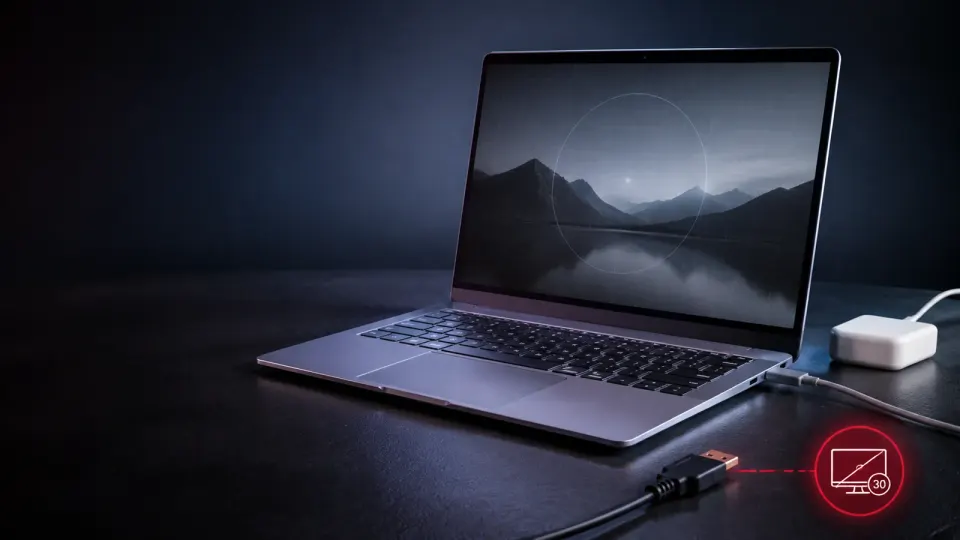
Samsung’s new 14-inch Galaxy Book6 has a convincing elevator pitch: a thin 1.35kg Windows laptop, up to 25 hours of claimed battery life, useful Galaxy phone integration and a $799 starting price. It looks like the sensible alternative to the more expensive Galaxy Book6 Pro.
The downside is that Samsung did not simply remove luxury extras. The base model gives up several things you may notice every day: memory headroom, OLED contrast, keyboard illumination and modern external-display bandwidth. This research-based Samsung Galaxy Book6 14 review examines whether those cuts leave enough value behind.
Quick verdict: buy 16GB on sale, not 8GB at launch price
The Galaxy Book6 14 can be a good school or office laptop for someone already invested in Samsung’s ecosystem. Its weight, 16:10 screen shape, port variety and device-continuity tools are genuinely practical.
But the $799 base configuration is difficult to recommend without a discount. Eight gigabytes of memory is a weak starting point for a new Windows laptop in 2026, while the 350-nit LCD and non-backlit keyboard make the machine feel more budget-oriented than its price suggests.
Our buying threshold is straightforward:
- Buy: a 16GB model at or below the advertised $799 starting price.
- Consider: the 8GB model only for basic documents, streaming and a small number of browser tabs—and only after a meaningful discount.
- Skip: if you want OLED, creative performance, serious gaming, local AI workloads or a smooth 4K external-monitor setup through HDMI.
1. The 8GB base configuration is the biggest long-term risk
Samsung offers the Galaxy Book6 with 8GB or 16GB of LPDDR5X memory. The company does not position this model for heavy creative work, but 8GB still leaves limited breathing room once Windows, browser tabs, cloud-sync clients, messaging apps and video meetings run together.
This is not a claim that every 8GB Galaxy Book6 will feel slow on day one. Word processing and streaming should be fine. The concern is ownership over three to five years: applications tend to become heavier, and memory pressure can force Windows to move data to the SSD more frequently. That creates hesitation precisely when several everyday apps are open.
Samsung’s announcement does not promise user-upgradeable RAM. Until a teardown proves otherwise, buyers should choose the capacity they expect to need for the life of the laptop. The 16GB configuration is the sensible minimum for most buyers. Our soldered RAM buying guide explains when fixed memory is an acceptable efficiency tradeoff and when it becomes a premature-upgrade risk.
If price matters more than ecosystem integration, compare the compromises with our ASUS Vivobook Go 15 review. A cheaper laptop can be imperfect and still make sense; the Galaxy Book6 has to justify why its cuts are worth $799.
2. The 350-nit LCD is practical, but it is not a premium Samsung display
The 14-inch panel has a useful 1920 × 1200 resolution, a productivity-friendly 16:10 ratio and an anti-reflective treatment. Those are sensible choices for documents and web pages.
The missing word is more important: OLED. Samsung lists this panel simply as LCD with 350-nit brightness. It should not be confused with the richer blacks, stronger contrast and more premium presentation associated with higher-tier Galaxy Book displays.
Three limitations follow:
- 350 nits is adequate rather than generous. It should work indoors, but bright windows and outdoor shade can expose the brightness ceiling.
- No advertised HDR specification. Buyers should not assume meaningful HDR performance just because Samsung makes excellent OLED laptops and televisions.
- No advertised high refresh rate. The launch specification does not promise the smoother scrolling available on some premium ultraportables.
The anti-reflective finish may be more useful than a glossy budget panel, but it does not turn this into a display-first laptop.
3. HDMI 1.4 is an outdated bottleneck
Samsung deserves credit for retaining physical ports: two USB-C ports, USB-A, HDMI and a 3.5mm audio jack. The two USB-C connections also provide the same functionality, reducing the usual left-port-versus-right-port guessing game.
Unfortunately, the built-in video connector is HDMI 1.4, and Samsung explicitly caps it at 4K/30Hz. A 30Hz desktop feels noticeably less fluid when moving windows, scrolling pages or tracking a cursor than a 60Hz output.
That does not matter if you connect a 1080p classroom projector. It matters a great deal if the laptop will spend every workday attached to a modern 4K monitor. Samsung does not advertise Thunderbolt in the launch specification, so buyers should verify the exact USB-C display modes supported by their regional model rather than assume a dock will solve everything.
4. A non-backlit keyboard should not be normal at $799
Samsung calls it a “Pro keyboard,” but the specification table also says non-backlit keyboard. That is an unusually visible cut for a laptop positioned above the cheapest Windows notebooks.
Backlighting is not cosmetic when you type on a flight, in a lecture hall, beside a sleeping partner or in a dim office. It is one of those features that disappears from the marketing page but becomes irritating repeatedly during ownership.
The clickpad also appears conventional; Samsung does not advertise the premium haptic trackpad experience found higher in the range. Neither omission makes the machine unusable. Together, however, they reinforce the impression that the entry Book6 is an ecosystem laptop built to a strict cost target.
5. Core 3/Core 5 performance is meant for everyday work
The Book6 uses Intel Core 3 or Core 5 Series 3 processors with integrated Intel Graphics and an NPU rated at up to 15 TOPS. Samsung describes workloads such as browsing, documents, video calls, multitasking and streaming—the right expectations for this hardware class.
What it is not:
- a gaming laptop with discrete graphics;
- a workstation for sustained 4K video editing or 3D rendering;
- a high-end Copilot+ PC built around a 40-TOPS-class NPU;
- a substitute for the Galaxy Book6 Pro or Ultra merely because the family name is similar.
The “Galaxy AI” label therefore needs context. AI Select, background removal and Note Assist may be convenient, but several features require internet access, account sign-in or compatible Samsung software. A feature list is not the same as strong local-AI compute capability.
6. The 25-hour battery claim needs realistic expectations
The laptop contains a reasonably sized 61.2Wh battery. Samsung claims up to 25 hours on a charge, but “up to” figures reflect controlled test conditions. Real use with Wi-Fi, bright-screen video calls, Chrome tabs and background synchronization will be shorter.
Charging is also conservative. The included 45W USB-C adapter provides approximately 33% charge in 30 minutes, according to Samsung. That is convenient for universal USB-C compatibility, but it is not unusually fast for a modern ultraportable.
The positive side is weight efficiency: fitting a 61.2Wh battery into a 1.35kg chassis gives the Book6 a credible portability story even before independent endurance testing arrives. We would treat battery life as promising—not proven.
7. Galaxy integration is the strongest reason to choose it
The Book6 makes the most sense when it is not your only Galaxy device. Samsung highlights:
- Quick Share for nearby file transfer;
- Storage Share for accessing compatible phone files from the PC;
- Multi Control for operating supported Galaxy devices with one keyboard and mouse;
- Second Screen for using a compatible Galaxy Tab as another display;
- Link to Windows and Nearby Devices integration.
These are meaningful conveniences for a Galaxy owner. For someone using an iPhone and no Galaxy tablet, much of the differentiation disappears and the Book6 becomes an ordinary $799 Windows laptop with entry-level compromises.
The Book6 itself does not receive One UI 9, but a major update on the paired Galaxy phone can still affect connected apps and services. Before changing the phone’s OS, use our major Android update risk guide and retest Quick Share, Link to Windows, Storage Share and Multi Control.
If a tablet might serve as part of your mobile setup, our Lenovo Idea Tab review explains the trade-offs of choosing a tablet-first device instead. Samsung-phone owners can also see how the company’s long-support strategy affects purchase value in our Galaxy S26 FE review.
Who should avoid the Galaxy Book6 14?
Avoid the base model if any of the following describes you:
- You regularly keep dozens of browser tabs open while running meetings, spreadsheets and messaging apps.
- You edit video, work in 3D, play demanding games or run local AI models.
- You expect deep OLED blacks or a bright outdoor-friendly display.
- Your desk uses a 4K monitor and you need 60Hz through the built-in HDMI connection.
- You frequently type in low light.
- You do not own other Galaxy devices and therefore cannot benefit from Samsung’s continuity features.
Final verdict
The Samsung Galaxy Book6 14 is not a bad laptop. It is a carefully limited one. Samsung preserved the thin chassis, useful ports, 1080p webcam, 16:10 screen and Galaxy ecosystem while cutting display quality, base memory, keyboard lighting and external-display capability.
At $799 with 8GB RAM, those compromises are too aggressive. A 16GB configuration at the same price—or the base model after a substantial discount—changes the calculation. Until independent reviews confirm real battery life, thermals and display quality, buyers should treat the Book6 as a light-productivity ecosystem machine rather than an affordable premium laptop.
FlawCheck’s verdict: wait for the 16GB price, then compare it directly with a discounted Galaxy Book6 Pro and other 14-inch Windows laptops before buying.
Sources and methodology
This assessment uses Samsung’s September 1, 2026 Galaxy Book6 announcement and specification table. Scores are provisional until independent testing establishes display accuracy, sustained performance, thermals, fan noise and real mixed-use battery life. Read our review methodology for how FlawCheck separates confirmed specifications, marketing claims and test evidence.
Editorial disclosure: FlawCheck did not physically test this product. The hero is an editorial illustration, not an official Samsung product image. Pricing, configurations, features and availability vary by market; verify the exact model before purchase.