The 12GB version looks safer than the 8GB version. The 8GB version looks safer than the 6GB one. But each step costs money, and the number on the box does not tell you whether your apps will stay open longer—or whether the phone’s processor, battery or storage is the bigger compromise.
The expensive mistake can go either way. Too little physical RAM may mean more app reloads and interrupted sessions. Paying for RAM you will never use may leave you with less storage, a weaker phone at the same price, or simply less money. The useful question is what changes in your actual workload when you pay for the next tier? For that broader decision across app launch, multitasking and sustained speed, see what makes a phone fast.
Decision in 30 seconds
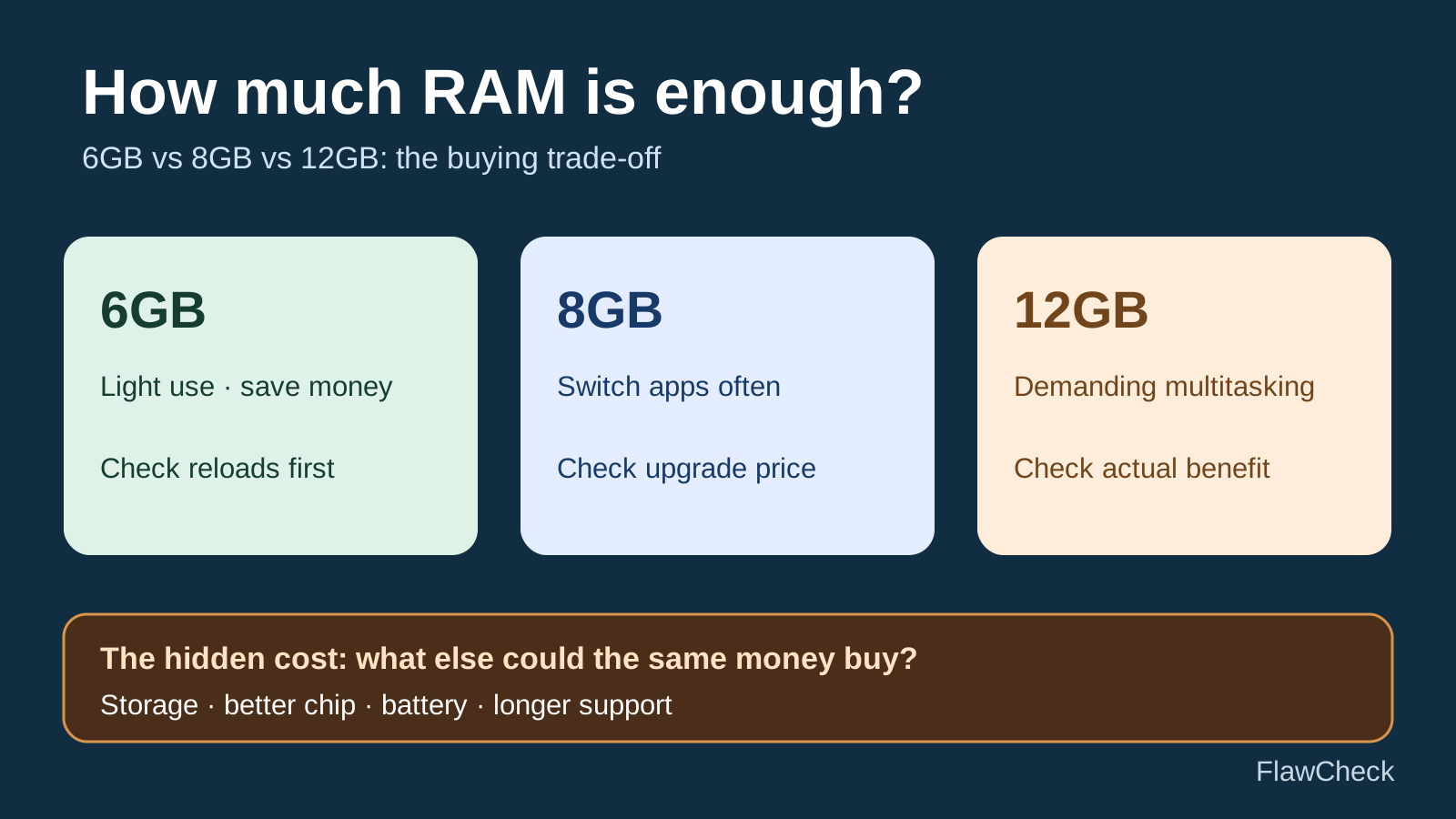
6GB: Consider it for light use when the saving is meaningful; check that phone’s app reload behavior.
8GB: Consider the upgrade if you frequently switch apps and the price gap is justified.
12GB: Pay more when heavy multitasking or a verified feature benefits and you are not sacrificing a better phone overall.
At every tier: Compare physical RAM, storage, software support and the full price. None guarantees five-year comfort.
The short answer: 6GB, 8GB or 12GB?
| Decision | 6GB · Save | 8GB · Balance | 12GB · Headroom |
|---|---|---|---|
| Fits when | Price matters; you mostly use a few ordinary apps. | You switch apps often and the premium is reasonable. | You juggle heavy apps or need a verified memory-intensive feature. |
| Trade-off | More chance of reloads under memory pressure. | Software or heavy use can still cause reloads. | Higher cost; no automatic FPS or longevity gain. |
| Check first | Exact 6GB variant and storage. | Same-model test and actual upgrade price. | Measured benefit and the alternative phone. |
These are buying scenarios, not Android requirements. There is no universal test showing that all 6GB phones fail, all 8GB phones succeed or all 12GB phones last five years. Manufacturer software and the apps you use matter. Android’s process-memory documentation explains why background apps may be removed under memory pressure and why phone makers can tune that behavior.
Follow the decision, not just the number
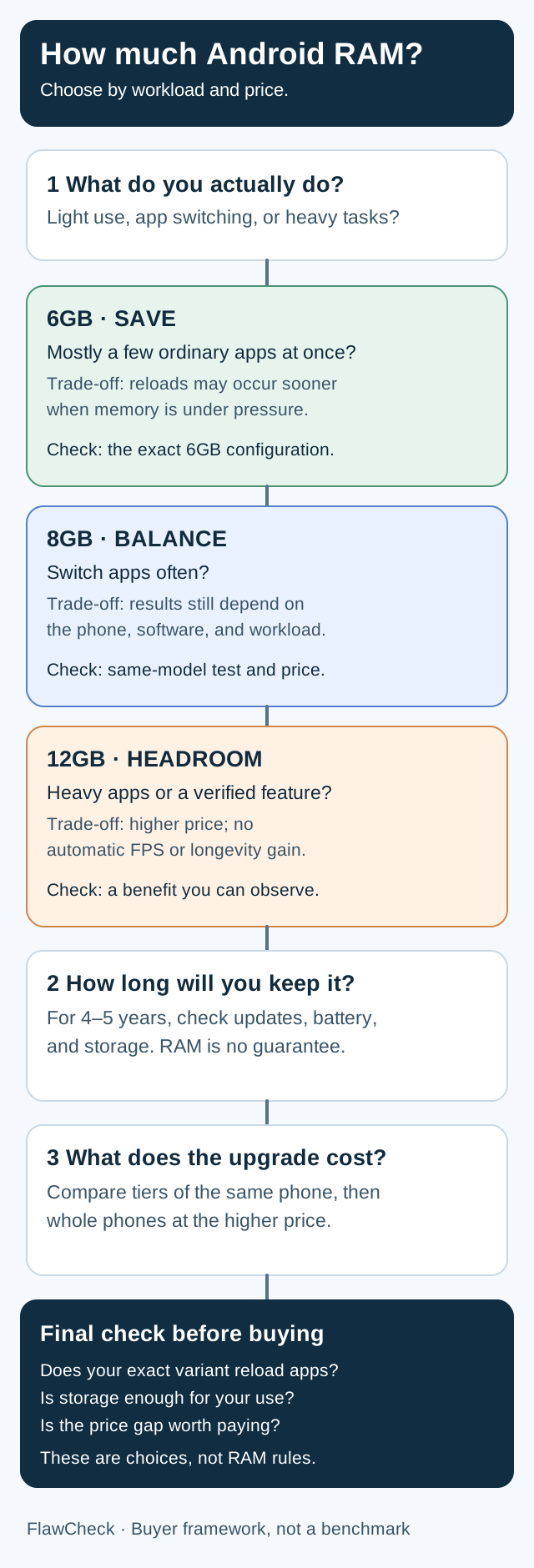
The flowchart gives you a shortlist, not a guaranteed result. Read the phone-specific evidence before choosing a tier.
What more RAM actually changes
Physical RAM holds active system and app data. When memory becomes tight, Android can reclaim memory, compress some data into zRAM and eventually end less-important processes. A background app that was ended may load again when you return to it. That is the clearest everyday reason to consider more RAM: fewer disruptive reloads in a workload that really reaches the limit. Android Developers: memory allocation among processes.
If your current phone repeatedly loses an app’s screen when you switch away, use our Android app reload troubleshooting guide to separate memory pressure from battery settings and an app-specific failure before choosing a new RAM tier.
Look for the behavior, not a “free RAM” screenshot. Our RAM cleaner app explainer shows why clearing cached apps is not a substitute for choosing enough physical RAM. Android uses available memory for useful work; a low free-RAM number alone does not prove a phone needs an upgrade. Notice instead whether your browser tab refreshes, a game restarts after you answer a message, or an editing app loses its place. Also distinguish a normal refresh caused by the app or a network connection from the operating system ending its process.
More RAM does not automatically make a processor finish work faster. A game that slows down after several minutes may be limited by the CPU, GPU, graphics settings or heat. Android’s game documentation describes both memory-related stutter and thermal throttling; these are different diagnoses. Android Developers: game memory; Android Developers: thermal conditions. For a closer diagnosis, see phone thermal throttling.
RAM is also different from storage. RAM helps keep active work available; storage holds apps, photos and downloads after a restart. Choosing an 8GB/128GB version over a 6GB/256GB version is therefore a real trade-off, not a straightforward upgrade. Use our 128GB versus 256GB buying guide to check your storage needs separately.
When 6GB may be enough—and when it could become frustrating
A 6GB phone can be a sensible purchase for messaging, maps, browsing, video and occasional games when the price matters and the specific phone handles those tasks well. You do not need to pay for 12GB merely because you plan to keep the phone for a while.
Be more cautious if you repeatedly switch among a demanding game, multiple browser tabs, navigation, camera and chat; if an app must hold an unfinished task when you leave it; or if you expect to use a specific on-device feature with documented hardware requirements. These are reasons to investigate the exact 6GB model, not evidence that every 6GB phone will fail. Android can close background processes under pressure, and OEM tuning changes the result. Android Developers: memory allocation among processes.
If you plan to keep the phone four or five years, ask two separate questions: Does 6GB work acceptably for what I do now? and What evidence supports my expectations about future apps? The second answer is uncertain. A software support promise does not guarantee that every future app or feature will feel the same; an extra 2GB does not guarantee that the battery, storage or chip will remain satisfactory either. Our long-term phone ownership guide covers those other limits.
A practical warning sign: a review of the 6GB variant shows the apps you use restarting during a realistic switching sequence, and you cannot tolerate that interruption. If the only evidence is a headline claiming “6GB is dead,” keep looking.
When the 8GB upgrade earns its price
Between two otherwise identical versions of a phone, 8GB gives the system more physical memory to work with than 6GB. It is reasonable to expect more headroom before the same workload puts the device under memory pressure. How much better it feels is a device-specific question, not a number we can promise from the specification sheet. Android’s process priorities, zRAM and vendor tuning all affect the outcome. Android Developers: memory allocation among processes.
The upgrade becomes more compelling when you switch apps frequently, the 6GB variant demonstrably reloads work you care about, and the additional cost leaves enough budget for the storage and phone quality you need. It is less compelling when you mostly stay in one app, the two variants behave similarly in a relevant test, or the premium would force a meaningful compromise elsewhere.
For a real specification-level example, the Galaxy S26 FE review discusses its 8GB physical RAM alongside its price and other ownership trade-offs. That review does not establish how many apps the phone can keep open or prove that its RAM capacity is insufficient. Use it to see why the complete product matters, then seek a controlled retention test before making a performance claim.
Compare the same phone first. A comparison between two different models may change the chip, storage speed, software and memory policy along with the RAM. An older Android Authority test launched games in sequence on 4GB, 8GB and 12GB phones and observed different app-retention behavior. The test itself was performed in 2021, involved different phones and Android versions, and did not include a 6GB variant. It illustrates the variables; it cannot quantify today’s 6GB-to-8GB benefit for your phone. Android Authority: test and methodology.
When 12GB is worth considering
Consider 12GB if you regularly move between heavy games, editing tools, camera workflows and many other apps and a test or your current phone’s behavior indicates memory pressure. Also check whether a particular on-device feature you actually want has an explicit minimum RAM requirement or reserves memory. Do not buy extra RAM on the assumption that every future AI feature will require it; eligibility depends on the device and software, not just the total GB printed on the box.
The case for 12GB is strongest when the upgrade is affordable after you have chosen enough storage and a phone with suitable performance, battery life and support. It is weak when you would trade a better processor, adequate storage or a longer update commitment for a larger RAM label on a worse overall phone.
In an independent stress test, Android Authority progressively loaded apps and games on a 12GB Galaxy S25 Ultra and a 16GB Xiaomi 15 Ultra and examined RAM and zRAM behavior. That is useful evidence of how those two devices react under pressure, not a controlled 8GB-versus-12GB test on the same model. Android Authority: memory-pressure test.
Gaming: app retention is not the same as FPS
More RAM may help keep a game in the background while you reply to a message. If the game is already running without memory pressure, moving from 8GB to 12GB should not be sold as an automatic FPS upgrade. CPU and GPU load, heat and game settings may be the actual limit. Severe memory pressure can also cause stutter, so inspect the symptom rather than assuming RAM never matters. Android Developers: game memory; Android Developers: thermal conditions.
Four specification traps to check before buying
- “6GB + 6GB” is not 12GB of physical RAM. A virtual-RAM feature may use compression or storage-related techniques depending on the implementation. Count the dedicated physical RAM first. Our virtual RAM and RAM Plus guide explains the mechanics and limits. Android Developers: RAM and zRAM.
- Advertised RAM is not all available to your apps. The system and other services use memory, and the usable amount can vary by device. A specification cannot tell you exactly how much remains for one particular app. Android Developers: Android vitals memory metrics.
- Equal RAM does not mean equal app retention. Manufacturer settings, software versions, installed services and workloads change the result. Android explicitly notes that manufacturers can adjust low-memory-killer behavior. Android Developers: process memory.
- A RAM upgrade may hide another compromise. Confirm the chip, storage capacity, update policy, battery and total price. If the RAM tier is bundled with more storage, evaluate both improvements rather than crediting every benefit to RAM.
A buying rule that works at checkout
Step 1 — Write down the interruption you want to avoid. For example: “I want my game to resume after five minutes in chat,” or “I need browser tabs and an editing draft to remain where I left them.” If you do not encounter a RAM-related interruption, be cautious about paying to solve one.
Step 2 — Compare RAM tiers of the same model. Record the actual price difference, storage capacity and any other changed specification. Seek a review of the same RAM variant, current software and a workload close to yours. A useful app-retention test names the phone and software, opens the same apps in the same order, and shows what reloads on return. A simple app-launch-speed race or an overall benchmark score answers a different question.
Step 3 — Compare whole phones at the new price. If the 12GB upgrade costs enough to reach a better 8GB phone—or the 8GB upgrade pushes you toward inadequate storage—judge the complete devices. There is no universal dollar cutoff: a small or large premium depends on the local offer and what else it displaces.
Step 4 — Keep the ownership horizon in perspective. Four or five years magnifies a poor decision about storage, battery repairability or software support as well as RAM. More RAM is useful headroom when your workload needs it; it is not a warranty against future app demands.
Worked example: the price gap changes the answer
Illustrative checkout, not current market prices
Phone A, 6GB/128GB · $250 → Phone A, 8GB/128GB · $280
+$30 buys 2GB of physical RAM. Does a same-model test show fewer reloads in your apps?
Phone B, 12GB/128GB · $310 ↔ Phone C, 8GB/256GB · $310
At the same total price, do you need Phone B’s extra RAM—or Phone C’s extra storage and potentially stronger overall package? Check their actual chips, battery and support before deciding.
Suppose the same phone costs $250 for 6GB/128GB and $280 for 8GB/128GB. You would pay $30 solely for the RAM difference. If a credible test of that model shows fewer reloads in your workload, the $30 may be worthwhile. If you mostly use one app at a time, it may buy little you can feel.
Now suppose Phone A’s 8GB/256GB variant costs $310. The extra $60 over its base model buys both RAM and storage. Someone who routinely fills 128GB should assess that bundle differently from someone with plenty of free space. At that same price, Phone B has 12GB/128GB and Phone C has 8GB/256GB. Phone B’s larger RAM number alone cannot settle the choice: compare their actual chips, battery life, update commitments and your need for storage. Replace every example number with local offers before buying.
Verdict
Buy 6GB when the price is meaningfully better, your use is relatively light and the specific phone behaves acceptably. Consider 8GB when you switch apps often and the premium is justified by a real retention benefit or useful headroom. Pay for 12GB when demanding multitasking or a confirmed feature makes a difference and the higher tier does not cost you more valuable phone qualities.
The test is simple: What problem will the next RAM tier solve on this phone, and what else could the same money buy? If nobody has measured the difference for the configuration you want, treat claims about exact app counts and guaranteed five-year comfort as unproven.
Editorial evidence note: This is a buyer’s guide based on Android platform documentation and attributed third-party observations. FlawCheck did not run a controlled, same-model 6GB/8GB/12GB comparison for this guide. Recommendations above are conditional; model-specific performance claims require a test of the relevant variant and software.